Your journal.Your words.
Write your days, and Daylogue shows you what's underneath: the themes you keep returning to, the patterns across your weeks. AI on or off, it's a complete journal either way.

Sound familiar?
You’ve tried journaling before.
It didn’t stick. That’s not your fault.
The blank page
You opened the app. Nothing came out. So you closed it and felt worse than before you started.
The fog
You know some weeks feel heavier. But you can't explain why. You can feel it, you just can't see it.
The forgetting
By Friday, Monday is gone. By next month, this month is a blur. Your days are happening, but nobody's keeping track.
The quiet
The kids are grown. The job is done. The house is still by 9am. You're not stressed. You're just not sure what comes next.
From a moment to your story.
Here's what happens after you check in.
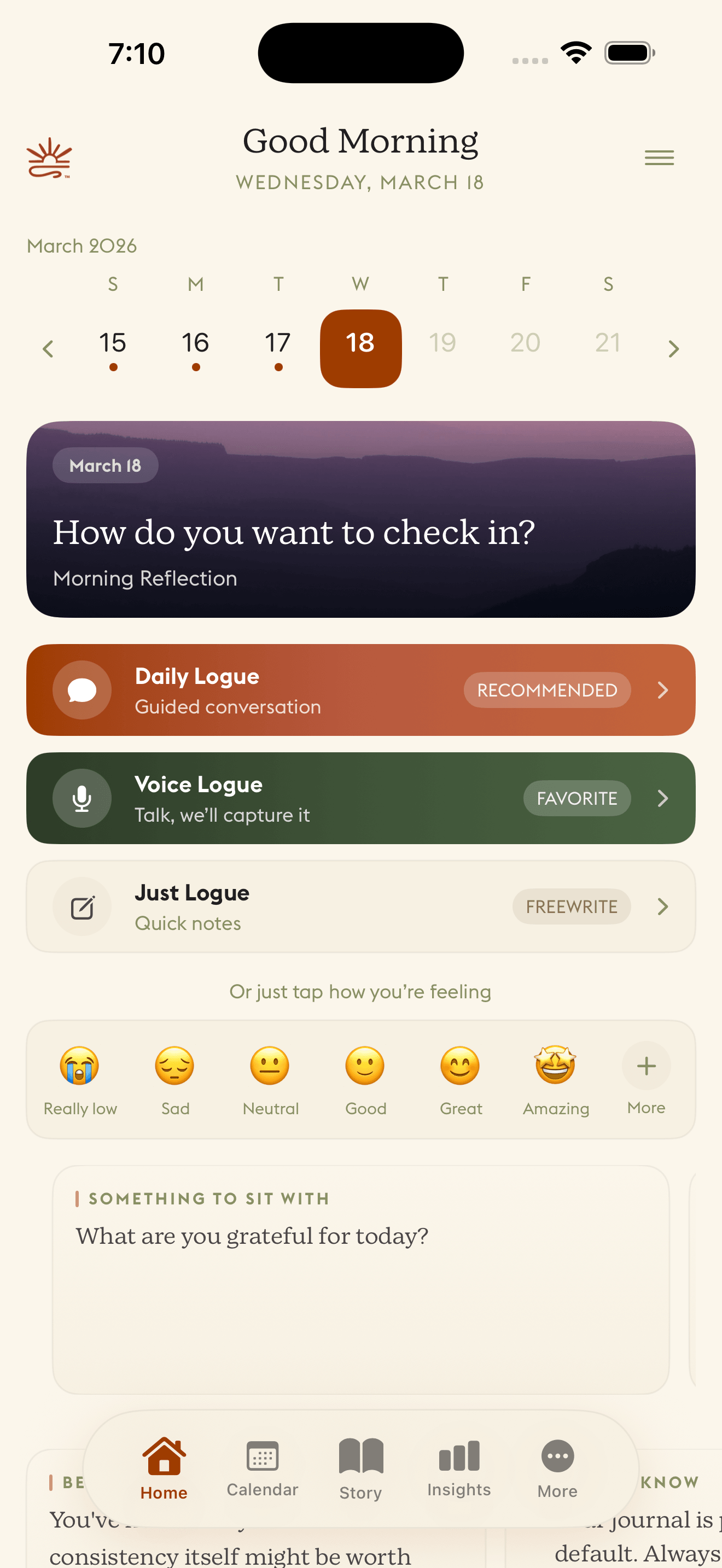
Talk, type, or tap. It meets you where you are.
Daylogue asks a question. You answer. It follows up. Mood, energy, stress, sleep. All captured in a conversation that feels natural. No blank page. No staring at a cursor.
Talk, type, or tap. It meets you where you are.
Daylogue asks a question. You answer. It follows up. Mood, energy, stress, sleep. All captured in a conversation that feels natural. No blank page. No staring at a cursor.
That’s the input. Here’s where it gets interesting.
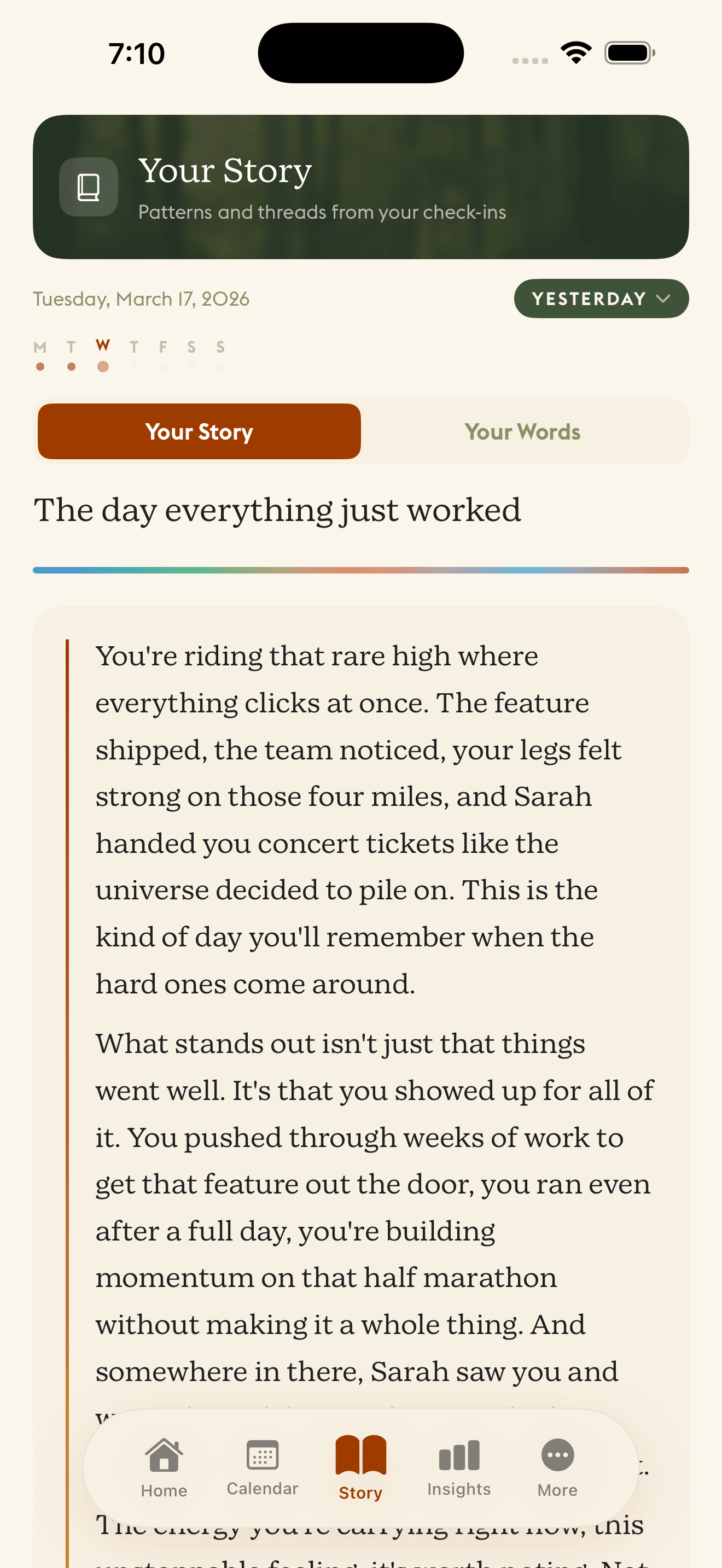
The journal that reads your life back to you.
Every check-in becomes a chapter. Daylogue writes a daily narrative of your life, and each one picks up where the last left off. Over weeks, a real story forms. Not a summary. Not bullet points. Clarity you didn't have while you were living it.
The journal that reads your life back to you.
Every check-in becomes a chapter. Daylogue writes a daily narrative of your life, and each one picks up where the last left off. Over weeks, a real story forms. Not a summary. Not bullet points. Clarity you didn't have while you were living it.
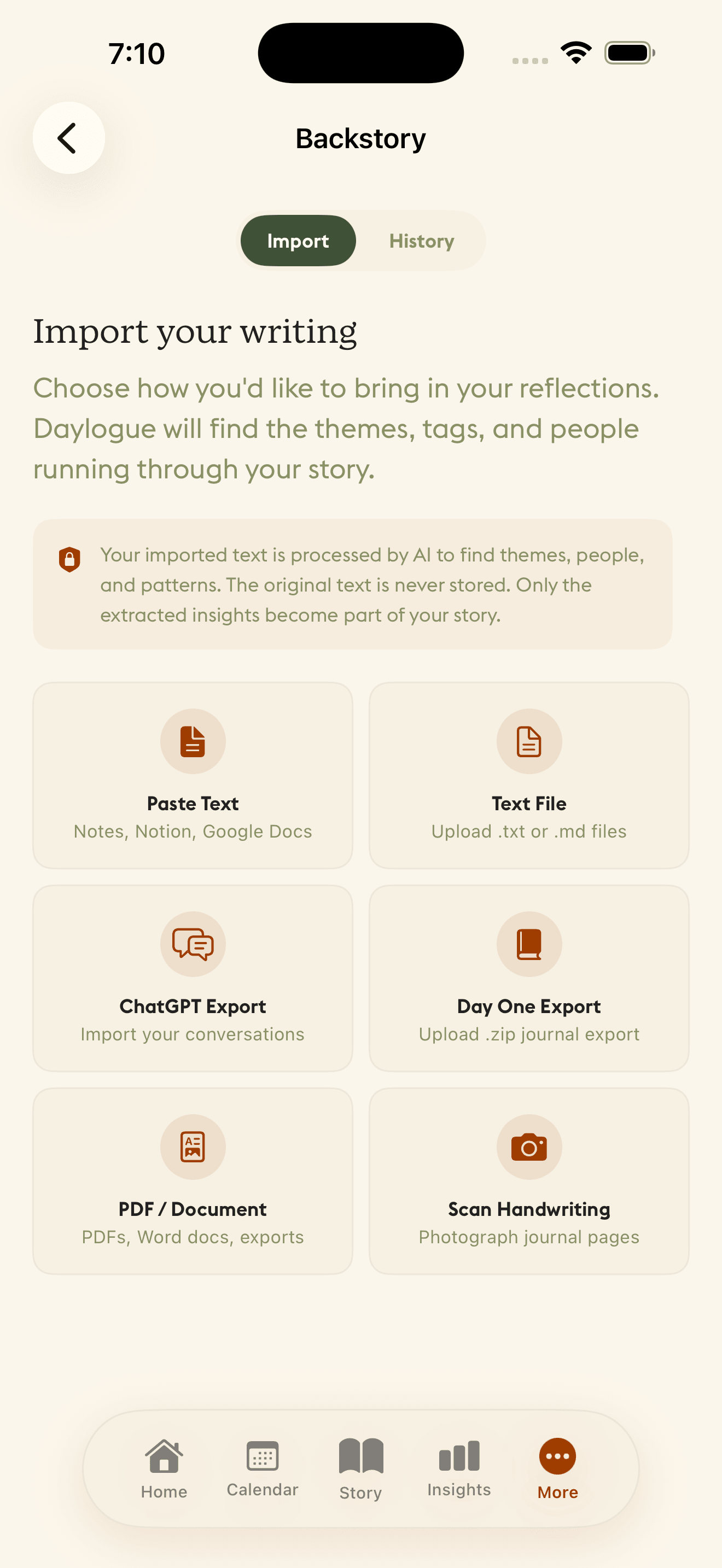
Your story didn't start today.
Bring your old journals, text files, PDFs, Day One exports, Apple Notes, even ChatGPT and Claude conversations. Daylogue reads them and weaves them into your narrative timeline. Years of reflection, all in one place.
Your story didn't start today.
Bring your old journals, text files, PDFs, Day One exports, Apple Notes, even ChatGPT and Claude conversations. Daylogue reads them and weaves them into your narrative timeline. Years of reflection, all in one place.
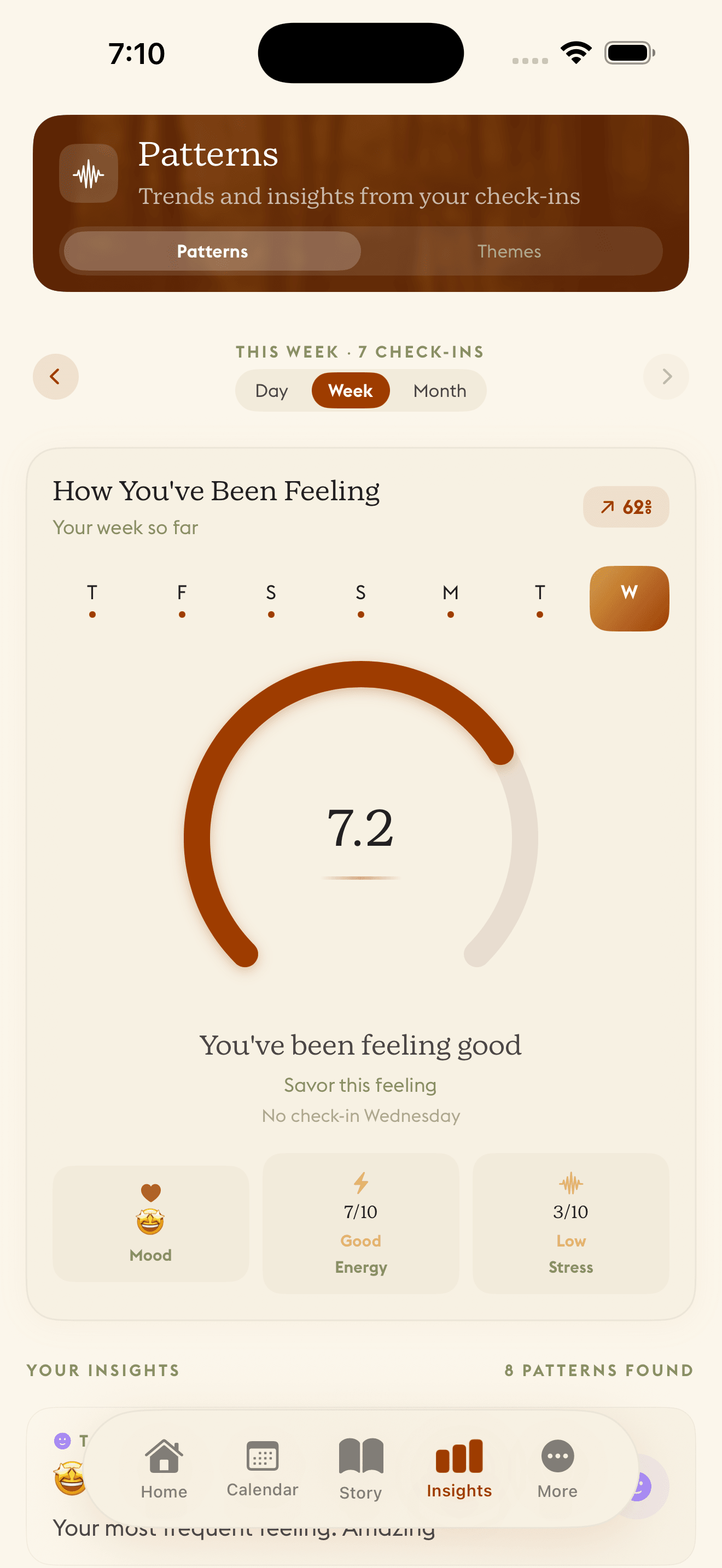
Finally see what's been hiding in plain sight.
Sleep and mood. Stress and energy. The connections are there, but you'd never spot them on your own. Daylogue looks across days and weeks, then shows you what it found.
Finally see what's been hiding in plain sight.
Sleep and mood. Stress and energy. The connections are there, but you'd never spot them on your own. Daylogue looks across days and weeks, then shows you what it found.
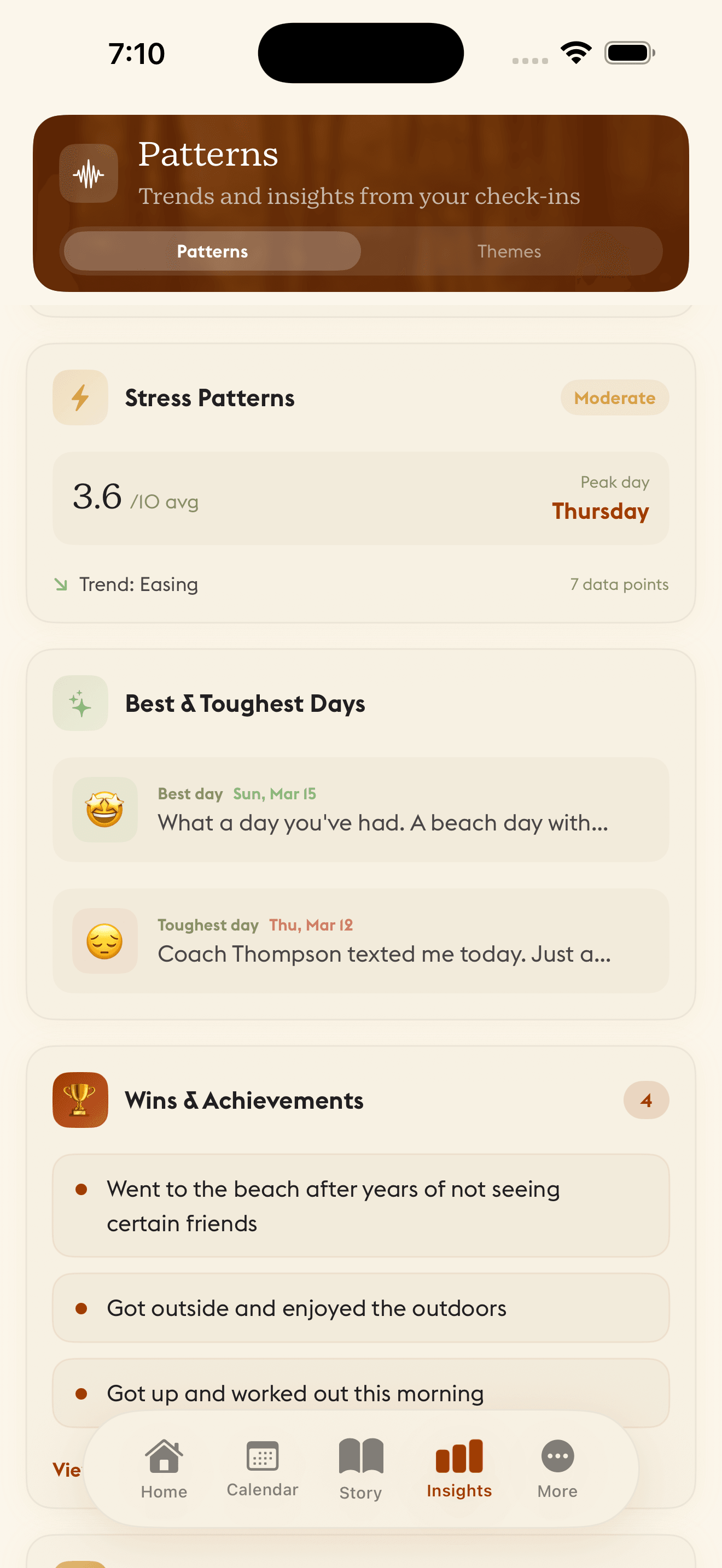
Your morning at a glance.
Your morning anchor, trending themes, weekly narrative, and how you've been feeling lately. All there when you open the app.
Your morning at a glance.
Your morning anchor, trending themes, weekly narrative, and how you've been feeling lately. All there when you open the app.
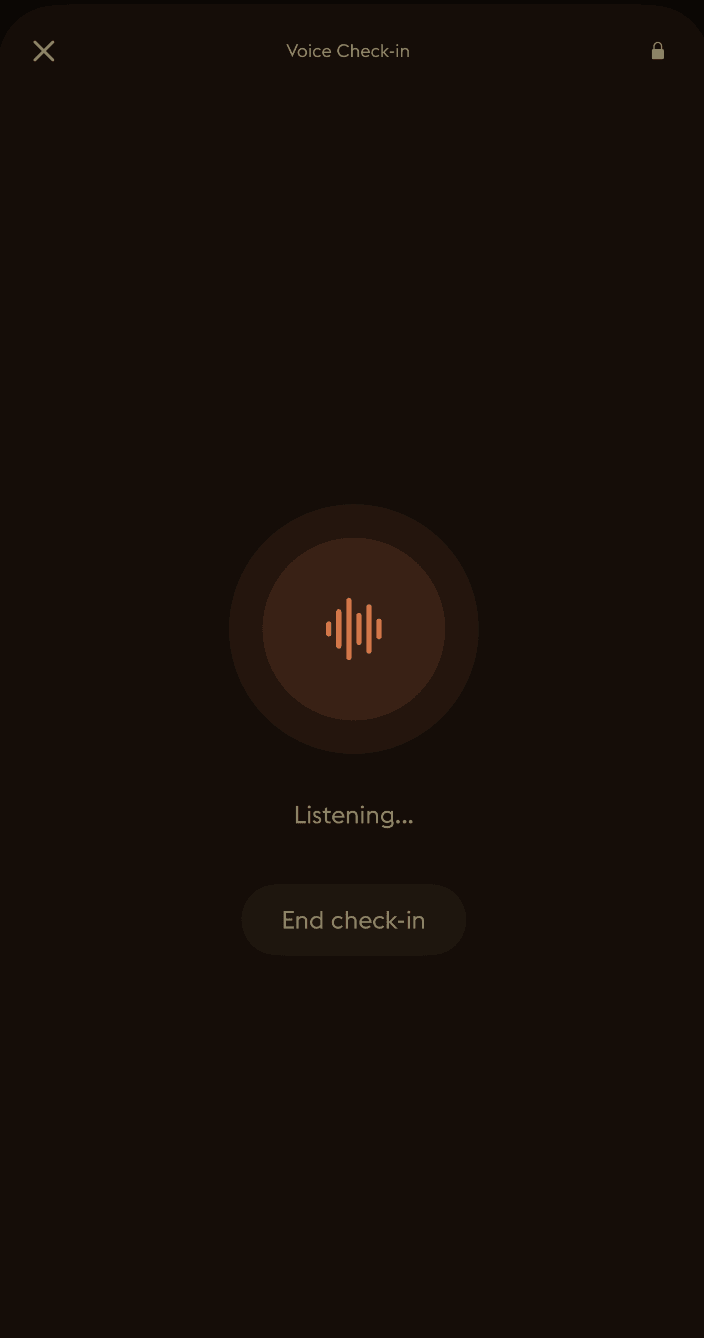
Just open the app and talk.
Speak instead of typing. Daylogue turns the words you choose to share into a check-in, so you can reflect in the format that feels easier in that moment.
Just open the app and talk.
Speak instead of typing. Daylogue turns the words you choose to share into a check-in, so you can reflect in the format that feels easier in that moment.
Straight about your data.
Your entries are protected in transit by TLS and by per-user access controls in the database, and logging and diagnostic controls are designed to reduce content-exposure risk; complete coverage is still being verified. Daylogue's servers do read entry text in order to write your narratives and surface patterns, so this is not end-to-end encryption. We would rather say that plainly than let you assume otherwise.
Straight about your data.
Your entries are protected in transit by TLS and by per-user access controls in the database, and logging and diagnostic controls are designed to reduce content-exposure risk; complete coverage is still being verified. Daylogue's servers do read entry text in order to write your narratives and surface patterns, so this is not end-to-end encryption. We would rather say that plainly than let you assume otherwise.
Your days already have a story.
Start reading it.
Get started freeYour journal. Your words.
With or without AI.
You choose during setup on web and iPhone, with neither option preselected, and you can change it in Settings. Both are complete journals. Turn AI off and the weekly recap still adds the week up: the nights you slept seven hours or more, next to the energy you reported on them.
Journal without AI
- Write freely, or answer one of 200 authored prompts
- Structured check-ins: mood, energy, stress, sleep
- Manual tags, calendar history, and literal text search
- A weekly recap that adds the week up from what you logged, and saved weeks you keep
- Rules-based patterns, if you turn them on, from structured fields and your own tags
With No AI mode on, newly submitted content is not sent to Daylogue's AI, embedding, transcription, voice, or image-analysis providers. Enforced on web, iPhone, and the watch app; the Android app does not yet offer or enforce it.
Journal with AI assistance
- Everything in the column beside this one
- Conversational check-ins by text or voice
- Narratives written from the entries you choose to sync
- Recurring themes and pattern reads that point back to the moments behind them
- Only future content is processed; turn it off any time in Settings
Daylogue reads what you choose to share. It does not infer emotion from faces, voice tone, or physiology, and it is not therapy.
Either way, where your entries live
Daylogue reads the entries you choose to sync to create narratives and surface patterns. Entries are not end-to-end encrypted. No AI mode is not a device-local or end-to-end-encrypted mode: entries still sync to and are stored by Daylogue. You can export or delete everything, anytime. How Daylogue uses AI, and how to turn it off.
Our approach
A different kind of self-reflection
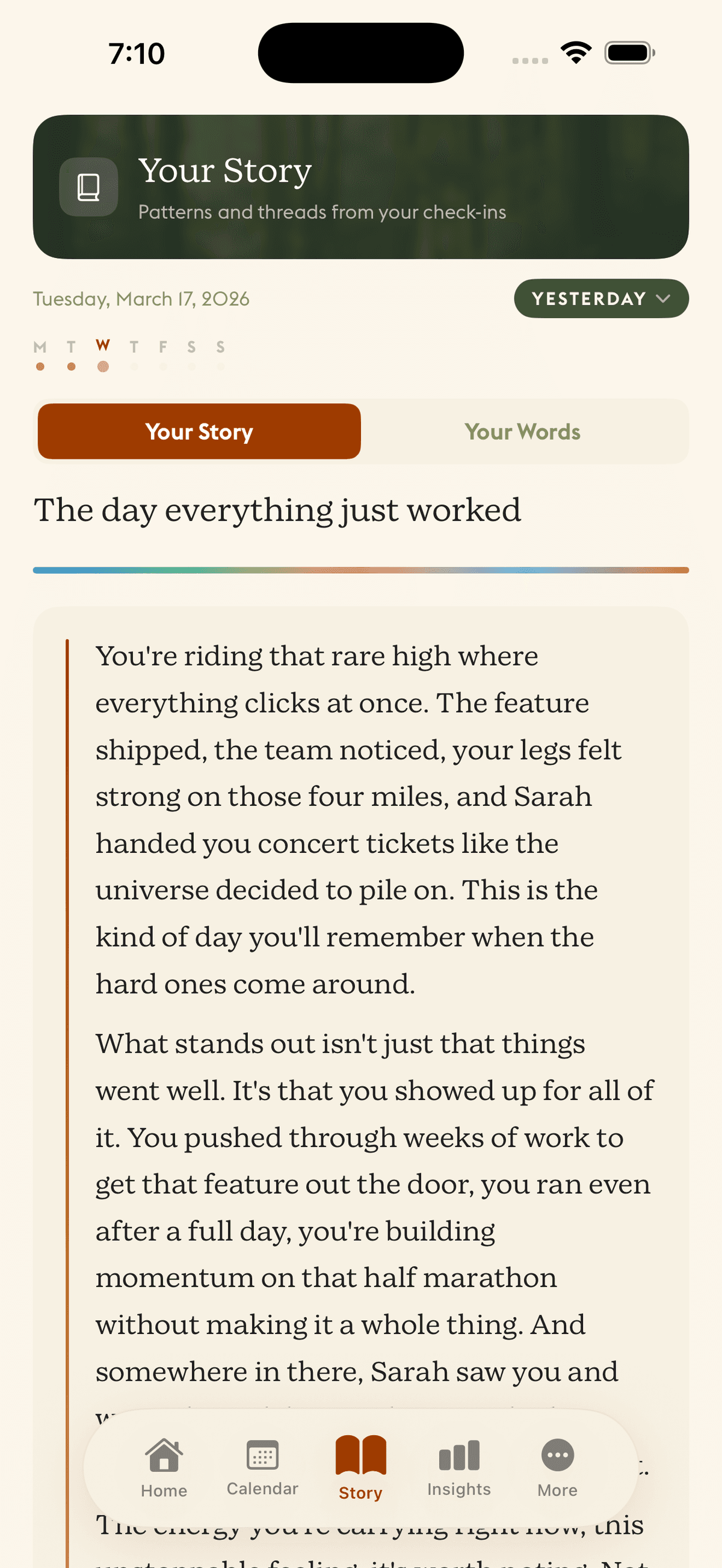
Your daily narrative — a story written from your own words, so you can see what you were too busy living to notice.
Clarity over comfort
We tell you what we see, not what you want to hear. If your stress spikes every Thursday, we'll show you.
Questions over answers
A good question opens space. We're here to help you think, not to tell you what to think.
Privacy as a right
Your thoughts are yours. Entries are protected in transit by TLS and by per-user access controls, and logging and diagnostic controls are designed to reduce content-exposure risk; complete coverage is still being verified. Daylogue reads your entries in order to write your narratives.
No guilt, no shame
Miss a day? A week? Come back whenever. No streaks to break and no badges to lose.

Live it, Logue it.
No credit card. No commitment. Just you and a conversation that notices what you'd miss.
7 days free. Export or delete anytime.