Written by Daylogue Editorial Team. Published August 12, 2026. Reviewed and updated August 12, 2026.
To return to a voice journaling app after a break, begin with one low-stakes update in a private setting. Say what is present now, stop after a minute or two, and review the transcript or saved output before adding more. Check the app’s rules for audio, transcript text, structured data, AI processing, and deletion. A voice entry can restart the record without reconstructing every unrecorded day or promising to speak tomorrow.
Start with one private minute about now
The first voice entry back does not need a recap of the unrecorded weeks. Choose one ordinary moment from today and speak as if you were leaving yourself a useful note. You might name the meeting still on your mind, the quiet hour you did not expect, or the decision you want to remember tomorrow. Give the entry one job. It can preserve what happened, help you find words for a conversation, or hold a question you are not ready to answer. The gap can remain a gap.
Set a short ending before you begin. One minute, three sentences, or a single answered prompt can be enough. A small container makes it easier to notice whether voice still fits your life without turning the return into a performance. If the first sentence feels forced, stop and type it instead. If nothing needs recording, close the app. Returning means the option is available again. It does not create a new attendance rule or a requirement to explain why you were away.
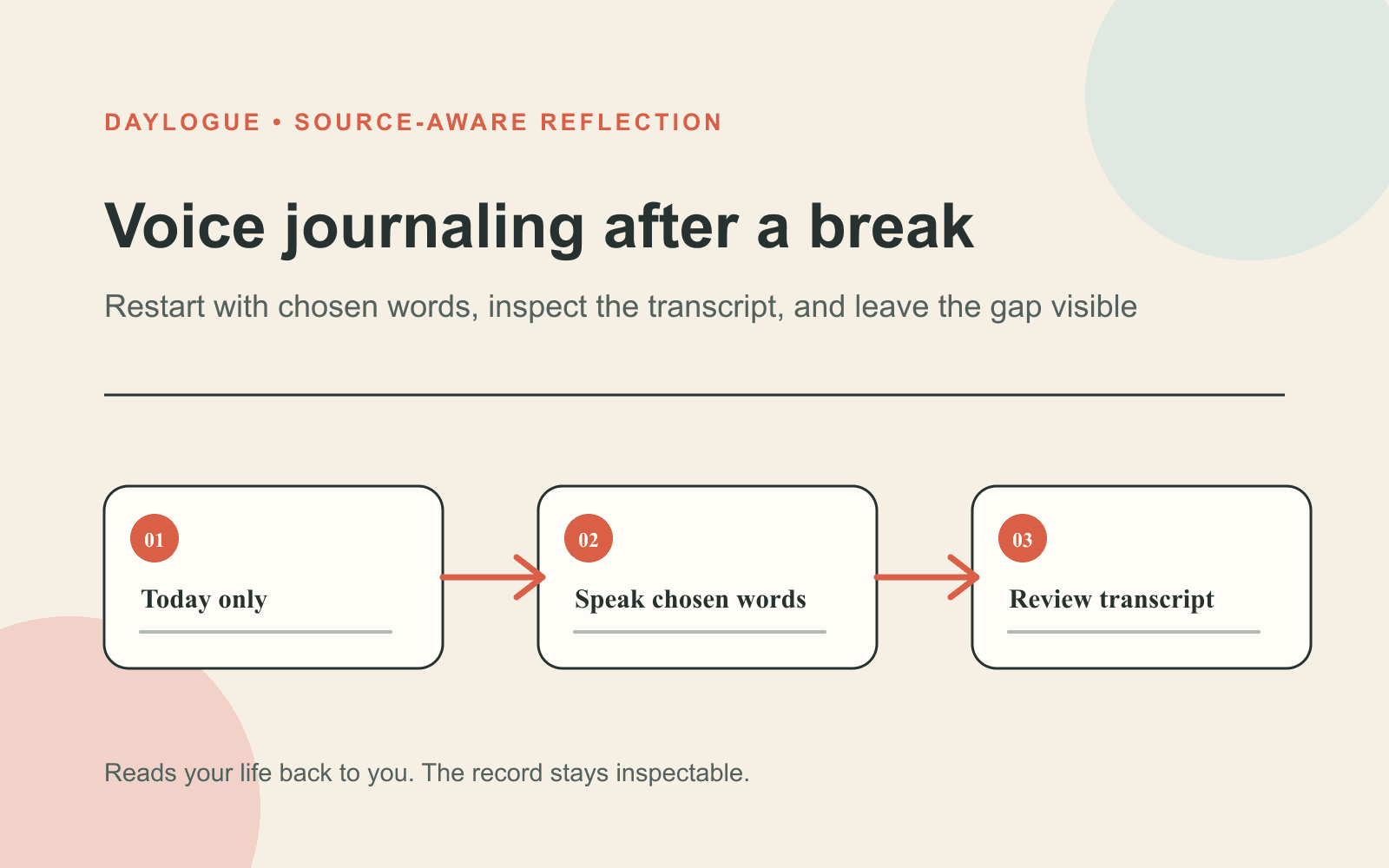
01
Choose a private setting
Make sure the people around you cannot overhear details you do not intend to share with them.
02
Name one current moment
Begin with today, not a summary of every day that passed while you were away.
03
Speak a small entry
Use one minute, three sentences, or one answered question as a clear stopping point.
04
Inspect what remains
Review the transcript or saved output and check the app’s privacy controls before going deeper.
Choose the setting before choosing the words
Voice makes privacy physical. A shared room, parked car with passengers, thin office wall, or busy sidewalk changes what is reasonable to say. Check who can hear you before the microphone opens. If the setting is wrong, keep a neutral placeholder such as “I want to return to this later,” switch to typing, or wait. A hands-free feature does not make every moment safe for reflection. Driving, supervising care, crossing traffic, or handling equipment may leave no room for a focused check-in.
Other people’s information needs a boundary too. A voice entry can gather names and identifying detail faster than you would write them. Replace names with roles when the identity is not needed. Avoid repeating private disclosures, school records, customer information, medical details, access credentials, or anything you are not authorized to store. Preserve your part of the experience rather than building a complete record of someone else. A pause before speaking can protect more than any edit made afterward.
Separate the audio, transcript, and saved output
“Voice entry” can refer to several different data objects. Raw audio is the sound captured during processing. A transcript is the text produced from your speech. Structured fields may record items you intentionally named, such as mood, energy, stress, or a topic. A generated narrative or summary is another saved output. Ask what happens to each object instead of accepting one broad promise about voice privacy. A service may discard the recording while retaining readable text that powers features you requested.
Daylogue does not store audio recordings from voice check-ins. Voice check-ins use Deepgram for speech-to-text and ElevenLabs for conversational voice. Voice-derived structured data is stored in readable form so Daylogue can write narratives and surface patterns. These statements describe different stages of the same flow. No stored recording does not mean that nothing remains after the session. The words and resulting fields can still be available to the service, so your detail level should match that model.
| Data object | What it is | Question to ask | Choice you retain |
|---|---|---|---|
| Audio | Sound captured while you speak | Is a recording stored after processing? | Wait, type, or choose another setting |
| Transcript | Text produced from speech | Can I inspect, correct, export, or delete it? | Restate, edit where available, or stop |
| Structured data | Fields derived from chosen words | What feature uses each field? | Limit what you name or skip the check-in |
| Generated output | Summary, narrative, or follow-up | Where is it stored and who can access it? | Correct the record or delete through available controls |
Use a starter script when speaking feels too open
An empty microphone can feel larger than an empty page because speaking unfolds in real time. Keep a short script nearby: “The moment I want to remember is… The detail that changed it was… The question I still have is…” You can read the words exactly, change them, or answer only the first line. A script reduces the pressure to perform spontaneity. It also helps you hear when a prompt is making assumptions that do not fit the moment.
For the first few entries back, choose concrete topics. Describe the order of a decision, one conversation you want to prepare for, a task that took more or less room than expected, or an ordinary moment worth preserving. Avoid asking the app to tell you who you are or what another person meant. A voice journal can keep the words you chose to share. It cannot observe the full situation, know another person’s intent, or turn one account into a reliable verdict.
- What happened that I want to remember in my own words?
- Which detail changed how the moment looked to me?
- What part is fact, and what part is my current interpretation?
- What am I leaving uncertain because the record cannot answer it yet?
- Is there anything I should remove because it belongs to someone else?
Read the transcript as a draft, not a witness
Speech recognition can miss names, punctuation, uncommon terms, and the difference between two similar phrases. Review the text when the detail matters. A small error can change a later search or summary, especially when “can” becomes “can’t” or a person’s role is misheard. Correct the text if the interface allows it. Otherwise restate the point in plain language, add a short clarification, or delete the entry through the available controls. The transcript should remain subordinate to what you intended to say.
Inspect follow-up questions too. A contextual question can help when it stays with a detail you offered. It can also narrow the conversation too quickly or suggest an explanation you do not share. You can decline, reframe, or end the check-in. “That is not the part I meant” is useful information. The app does not earn authority because it replied smoothly. A good return leaves your language visible and your ability to disagree intact.
Run a privacy check before the second entry
Find direct answers to five questions: Is audio stored? What transcript or structured data remains? Which providers process it? Is the content used for model training? How do export and deletion work? Check the product policy rather than relying on a lock icon or the word private. Daylogue is not end-to-end encrypted because its servers need readable information for narratives and pattern features. Its privacy policy says personal content is not used to train AI models and explains the subprocessors involved in voice processing.
Frameworks can help organize the questions, but they do not certify the app. The NIST AI Risk Management Framework is intended for voluntary use. The NIST Privacy Framework is a voluntary tool for identifying and managing privacy risk. Their practical value here is the discipline of connecting each data object to a purpose, risk, and control. You still need the product’s current policy and your own judgment about the words you are prepared to place on its servers.
Decide whether voice still fits after three uses
After three check-ins, review the method rather than your consistency. Did speaking help you begin when typing would have stalled? Could you find a private setting without rearranging the day? Was the transcript accurate enough for the purpose? Did you understand what the app retained? Were you able to skip a question or stop without pressure? The answers can point to a smaller voice practice, a switch to text, a mix of formats, or another break. None of those choices is a failure.
Daylogue is a system for self-understanding. Pattern journaling is how it reads you. A single voice entry is one record, not a complete account of your week or a verdict about you. Over time, several entries may put repeated situations beside their exceptions and gaps. You decide whether the observation fits and what, if anything, to do with it. Daylogue is not therapy and is not a replacement for professional care. It also cannot replace urgent, professional, legal, or safety support when those channels are needed.
Checklist
First voice entry back checklist
Use this checklist to choose a private setting, speak a small current entry, and inspect what the voice journaling app keeps afterward.
- Setting: Confirm that nobody nearby can overhear details you want to keep private.
- Moment: Choose one current scene instead of reconstructing the missing weeks.
- Limit: Set one minute, three sentences, or one answered question as the ending.
- Other people: Remove names and disclosures that are not yours to store.
- Transcript: Inspect important words and correct or restate anything inaccurate.
- Follow-up: Decline or reframe any question that points the conversation the wrong way.
- Data: Check audio, transcript, structured fields, generated output, training, and deletion separately.
- Choice: Type, wait, or stop if voice no longer fits the moment.
Common questions
Do I need to summarize the whole break in my first voice entry?
No. Speak about one present or recent moment. The unrecorded days can stay unrecorded, and your new entry can still be useful.
How long should the first voice journal check-in be?
One minute or three sentences is enough. Choose a clear stopping point before you begin and continue only if more detail feels useful.
Does no stored audio mean no voice data remains?
No. An app may discard the recording while keeping a transcript, structured check-in fields, or generated output. Check each data object separately.
Can a voice journaling app infer emotion from my tone?
Some systems may claim to. Daylogue does not run emotion recognition on your face or on the tone of your voice and works from what you choose to share.
What should I do if the transcript is wrong?
Correct it where the interface allows, restate the point, add a clarification, or delete the entry through the available controls when accuracy matters.
What if I cannot find a private place to speak?
Wait, type, write offline, or skip the entry. Voice is optional, and a shared or unsafe setting is a good reason not to use it.
Sources
Sources were checked on the dates shown. Product details and policies can change.
- Daylogue voice check-ins · Daylogue · checked August 12, 2026
- Daylogue privacy policy · Daylogue · checked August 12, 2026
- NIST AI Risk Management Framework · National Institute of Standards and Technology · checked August 12, 2026
- NIST Privacy Framework · National Institute of Standards and Technology · checked August 12, 2026
Keep exploring
Daylogue Knowledge Center
Browse practical guides for reflection, journaling, patterns, and privacy.
Read moreHow Daylogue shows patterns
See how candidate patterns stay connected to evidence and correction.
Read moreWhy Daylogue exists
Read the principles behind a system for self-understanding.
Read moreDaylogue is not therapy and is not a replacement for professional care.