Written by Daylogue Editorial Team. Published August 12, 2026. Reviewed and updated August 12, 2026.
A good voice journaling app for students should make it easy to start talking, show what happens to the recording and transcript, and let you control what remains afterward. Use it for a short check-in after class, during a private walk, or before you switch into homework mode. Speak about one moment, name what stood out in your own words, and stop when the thought feels complete. Voice journaling can lower the effort of capture, but it should never guess how you feel from tone or turn a recording into a verdict about you.
Know when voice fits the moment
Voice works well when the barrier is physical or practical. You may be walking back from class, waiting in a parked car, cleaning your room, or too tired to type another paragraph after a day of assignments. Speaking lets you catch the thought before you polish it into something less honest. It also gives you room to pause, restart, or say that you do not know. The entry can be a phrase, a pause, or a sentence that still feels like your own.
Voice is not right for every setting. A shared dorm, crowded bus, family home, or open campus path may not offer enough privacy. In that moment, record a neutral reminder such as "journal about the presentation later" or use text instead. If the open microphone makes disclosure feel harder to control, switch to text or stop. The best format is the one that fits your surroundings and gives you control over what other people might hear.
| Situation | Better starting format | Reason |
|---|---|---|
| Private walk | Voice | Your hands are free and you can speak naturally |
| Shared room | Text or wait | Other people may hear private details |
| After a long writing session | Voice | You can capture the day without another blank page |
| Noisy public transit | Short note | Audio quality and privacy may both be poor |
| Complex timeline | Voice, then review | Talking can capture the sequence while review catches errors |
Give the recording a simple shape
An open microphone can feel almost as blank as an empty page. Use a three-part shape: what happened, what stood out, and what you want to remember. For example: "The group meeting ran longer than planned. I noticed I stopped contributing near the end. I want to remember that I had not eaten since morning." The structure keeps you close to the day without forcing a lesson or explanation.
If you lose the thread, say where you are: "I am not sure what the point is yet." Then name the last concrete detail you remember. Pauses are fine. Repeated words are fine. You can keep the raw entry, edit the transcript later, or pull out one sentence. A journal is not a presentation. The useful part may be the detail you would have deleted if you were trying to write perfectly.
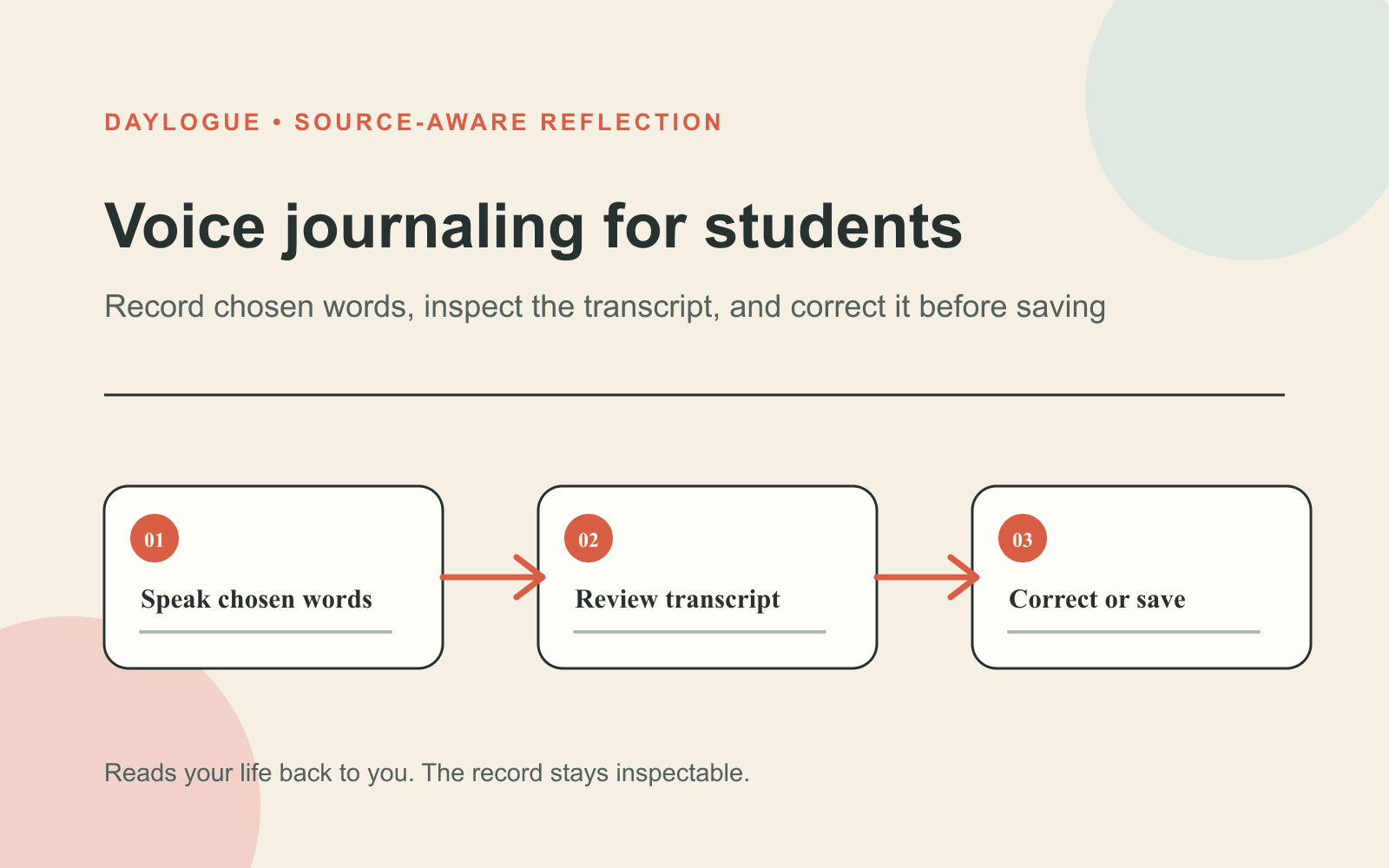
01
Name one moment
Start with a specific class, conversation, decision, or change in the day rather than summarizing everything.
02
Say what stood out
Use your own words for the part that stayed with you, including uncertainty or mixed reactions.
03
Leave a marker
Finish with what you want to remember, revisit, or simply set down for now.
Voice prompts for a real student schedule
After class, ask: What idea or moment followed me out of the room? After work, ask: What am I still carrying from the shift? Before studying, ask: What is competing for my attention? After studying, ask: Where did I get stuck, and what helped me move? Before bed, ask: What can I leave here instead of replaying? Each prompt gives the recording a boundary so it does not become a full recap unless you want one.
Use prompts about ordinary days as often as big ones. What made lunch better? Which task took less time than expected? When did you feel comfortable enough to stop checking the clock? What did you almost say? What are you glad you noticed? A varied record is easier to learn from later because it does not treat journaling as something reserved for crisis, achievement, or conflict.
- What is still taking up space after class?
- What did I handle differently than I expected?
- Where did my attention change today?
- What felt worth the time I gave it?
- What detail do I not want to lose?
- What can remain unresolved for tonight?
Treat the transcript as a draft, not a perfect record
Speech recognition can miss a name, swap a word, or flatten punctuation. Review the transcript before relying on a specific detail later. Correct errors that change meaning, especially dates, numbers, and whether you said something did or did not happen. You do not need to clean every filler word. Keep enough of your natural phrasing that the entry still feels recognizable when you return.
Separate transcription from interpretation. A transcript can record the words you spoke. It should not claim that your pitch, pace, face, or pauses reveal an emotion you did not name. Daylogue does not run emotion recognition on your face or on the tone of your voice. It works only from what you choose to share. That boundary gives you a useful standard when comparing any voice journal: the app can organize your words, but you define what they mean.
Check the privacy model before you record
A voice journal can involve several different pieces of data: live audio, an audio file, a transcript, structured check-in fields, and a generated summary. Ask about each one. Does the service retain the recording? How long does transcription take? Can staff or servers read the transcript? Is your content used to train models? Can you delete the original entry and its generated outputs? A single lock icon cannot answer all of those questions.
Daylogue says it does not store voice recordings. Voice is processed in real time and discarded, while extracted check-in data is saved in readable form so Daylogue can write narratives and surface patterns. Its privacy policy says voice check-ins use Deepgram for speech-to-text, ElevenLabs for conversational voice, and AWS Bedrock for AI processing, with zero data retention under its provider arrangements. Daylogue is not end-to-end encrypted, and its servers read saved entry data. Consider those facts alongside your own privacy needs before recording personal details.
- Ask whether the audio file is stored after the session.
- Find out whether the transcript stays readable on company servers.
- Check whether personal entries train any AI model.
- Look for account deletion and data export controls.
- Turn off lock-screen previews that could expose journal content.
- Record identifying details only when they are necessary to you.
Compare voice journaling apps by control, not novelty
Start with the first minute. Can you begin without configuring a complicated workflow? Can you pause, cancel, or delete before saving? Does the app show a live transcript or make you wait? Next, inspect what happens after the recording. Look for transcript editing, clear timestamps, search, export, and a way to correct generated observations. These details determine whether the journal remains useful after the excitement of trying voice wears off.
Then test the boundaries. Speak a harmless sample entry with one unusual name, one negative sentence, and one correction such as "Tuesday, no, Wednesday." Review what the app keeps and how it handles the correction. If it assigns a mood you did not state, see whether you can remove it. If privacy language is vague, read the full policy before using real entries. A trustworthy experience makes its limits visible in the ordinary flow.
| Area | What to test | Good sign |
|---|---|---|
| Start | Time from open to recording | One clear action |
| Control | Pause, cancel, and delete | Available before final save |
| Accuracy | Names, negation, and corrections | Transcript can be edited |
| Privacy | Audio, transcript, and model training | Specific policy for each data type |
| Reflection | Generated observations | Evidence is visible and correction is possible |
Build a routine that does not demand a streak
Pick one transition where speaking is both private and convenient. It might be the walk from the library, five minutes in a parked car, or the moment after your roommate leaves for class. Set a short default, perhaps one prompt or two minutes. A stopping point makes it easier to begin because you are not promising to narrate the whole day. Continue only when you want to.
Missed days need no repair. Start the next entry with the present moment rather than apologizing to the app or yourself. After a few recordings, search or scan for repeated situations, then listen for exceptions. A recurring topic is an invitation to get curious, not a diagnosis or a permanent description. The journal can hold evidence from your own words. You decide what it means and whether you want to do anything with it. Daylogue is not therapy and is not a replacement for professional care.
Checklist
Five-minute voice journal test
Use a harmless sample recording to check control, transcript accuracy, privacy details, and whether the app leaves interpretation with you.
- Start a recording and note how many actions it takes.
- Say one unusual name and check the transcript.
- Use a negative sentence and confirm the meaning remains intact.
- Correct yourself out loud and see which version is saved.
- Pause, cancel, and delete before making a real entry.
- Find the separate policies for audio and transcript retention.
- Check whether personal entries are used for model training.
- Confirm that any generated observation can be corrected or removed.
Common questions
Is voice journaling useful when I hate writing?
It can be a lower-effort way to capture a moment when typing feels slow or overly edited. Try one short prompt and review the transcript afterward. You can still switch between voice and text.
How long should a student voice journal entry be?
There is no required length. One or two minutes is enough for a specific moment, what stood out, and what you want to remember. Stop sooner if the thought feels complete.
Should a voice journal keep my audio recording?
That is your choice, but the app should state the policy clearly. Some people want playback, while others prefer transient processing. Check audio, transcript, and generated-data retention separately.
Can a voice journaling app tell how I feel from my tone?
Daylogue does not infer emotion from voice tone. It works from the words and fields you choose to share, then leaves interpretation with you.
What should I say when I have no idea where to start?
Begin with "The moment I keep returning to is..." Describe what happened before deciding what it means. If nothing comes up, name one ordinary detail and end there.
Sources
Sources were checked on the dates shown. Product details and policies can change.
- Daylogue voice check-ins · Daylogue · checked August 12, 2026
- Daylogue privacy policy · Daylogue · checked August 12, 2026
- NIST AI Risk Management Framework · National Institute of Standards and Technology · checked August 12, 2026
- NIST Privacy Framework · National Institute of Standards and Technology · checked August 12, 2026
Keep exploring
Daylogue Knowledge Center
Browse practical guides for reflection, journaling, patterns, and privacy.
Read moreHow Daylogue shows patterns
See how candidate patterns stay connected to evidence and correction.
Read moreWhy Daylogue exists
Read the principles behind a system for self-understanding.
Read moreDaylogue is not therapy and is not a replacement for professional care.