Written by Daylogue Editorial Team. Published August 8, 2026. Reviewed and updated August 8, 2026.
Daylogue's documented route for access, correction, deletion, or limitation requests is /privacy/request. Access means asking for the personal information Daylogue holds. Correction means asking to fix inaccurate information. Deletion and limitation are separate request types. The public sources do not document a self-service export button, file format, per-entry edit control, or downstream refresh behavior, so check the live product or current support documentation for those details.
Start with the source, not the interpretation
If a generated read seems wrong, reopen the original entry first. Check the date, wording, tags, and any structured fields such as mood, energy, stress, or self-reported sleep hours. A wrong date or accidental rating can change the surrounding context. A summary may also be wrong even when the source is accurate.
Source accuracy matters, but a correction and a generated interpretation are different records. When possible, preserve enough context to compare the inaccurate detail, the requested correction, and any generated read that prompted the review.
Use the documented privacy-request route
Use this form to access, correct, delete, or limit how Daylogue uses your personal information. The form at /privacy/request separates Right to Know, Right to Delete, Right to Correct, Limit Use of Sensitive Personal Information, and other privacy requests so the request can name the control you are seeking. We respond to all verified requests within 45 days (30 days for GDPR).
The public sources for this page do not verify a current export format, file type, menu location, or per-entry correction flow. Older screenshots or instructions may be outdated; check the live product or current support documentation. If a self-service export exists, record its date and the app version with your copy.
Make the correction inspectable
A correction request can identify the smallest item that is actually inaccurate. For example, name the entry date, the value as shown, the accurate value, and why the change matters. If the source is accurate but a generated interpretation does not fit, describe that as an interpretation issue rather than rewriting the source to fit a preferred story.
The public sources do not establish whether a privacy correction changes a journal entry in place, whether generated outputs refresh, or whether historical snapshots remain. List the surfaces you want Daylogue to address in the request, then use the response to distinguish what was corrected from what remains unchanged.
01
Save the original
Capture the entry, timestamp, fields, and generated read needed to identify the issue.
02
Identify the error
Separate a wrong source value from a poor interpretation of an accurate source.
03
Correct narrowly
At /privacy/request, describe the inaccurate text or field, the accurate information, and the reason for the request.
04
Recheck outputs
After Daylogue responds, inspect the relevant narratives, candidate patterns, and summaries to see what changed and what stayed fixed.
A correction does not prove a new cause
Correct data can still support several interpretations. A recurring overlap does not show that one thing caused another. If an edited sleep value removes one example from a stress and sleep pattern, the right response may be lower confidence, not a new causal story.
Daylogue's evidence page separates Product Verified, Bench Validated, Human Tested, and Outcome Supported. Product Verified means confirmed through code review and product QA. It does not mean every generated observation is correct for every person. Keep the personal record inspectable and your own interpretation revisable.
| Problem | Primary action | Then verify |
|---|---|---|
| Wrong entry text | Correct the source text | Narratives and summaries using it |
| Wrong metric | Correct the specific field | Candidate patterns using that field |
| Accurate source, poor read | Reject or reinterpret the read | Source remains unchanged |
| Missing source | Lower confidence | Leave the gap marked as unknown |
Review the export as sensitive data
An access copy or export can concentrate years of personal writing in one file. Store it somewhere appropriate for its sensitivity, check cloud-sharing permissions, and remove temporary copies after the correction is complete. When one entry or screenshot is enough, keep the rest of the archive private.
NIST's Privacy Framework is a voluntary tool intended to help organizations identify and manage privacy risk while protecting individuals' privacy. For a person handling an export, the practical version is simple: know where the copy went, who can access it, why it is needed, and when you will remove it.
What the export and correction diagram shows
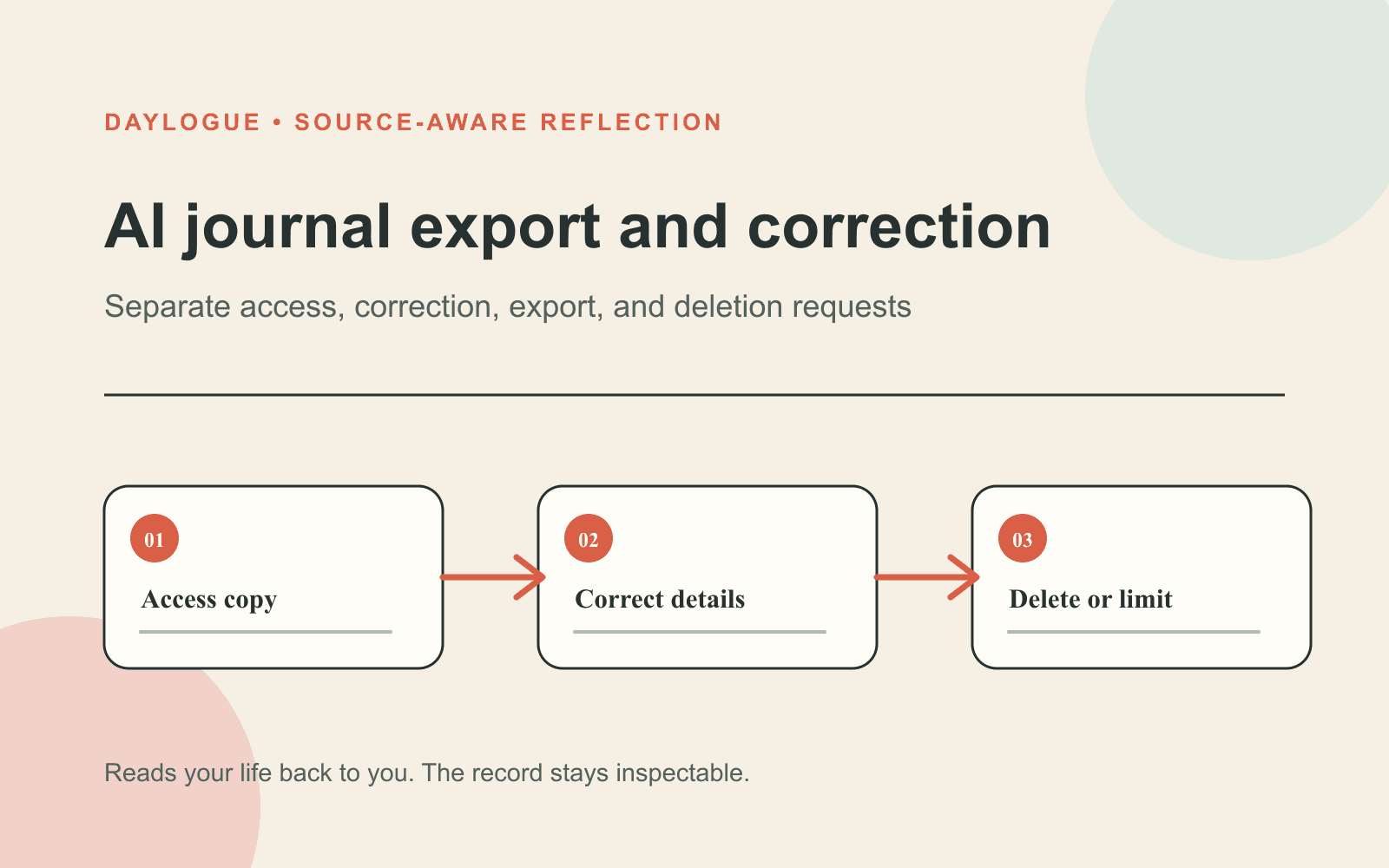
The diagram separates three routes: access a copy, correct details, and delete or limit. These are related privacy controls, but they are not interchangeable. An access request asks what information Daylogue holds. A correction request identifies inaccurate information. Deletion or limitation asks Daylogue to remove information or restrict how sensitive personal information is used.
The diagram is a process summary, not a product screenshot. It does not establish a self-service export button, file format, entry editor, or automatic refresh path. The current request form at /privacy/request documents how to submit these privacy requests.
- Verify the current control instead of guessing from the calendar screen.
- Save only the data needed for the correction.
- Keep source edits separate from interpretation changes.
- Recheck downstream outputs after the source changes.
Checklist
AI Journal Correction Record
Use this checklist to preserve the old state, make a narrow correction, and verify downstream changes without inventing product behavior.
- Capture the original entry and only the structured fields needed to identify the issue.
- Record the date, app version, and reason for the correction.
- Decide whether the source or only the interpretation is wrong.
- Change the smallest inaccurate item.
- Use /privacy/request for access, correction, deletion, or limitation requests.
- We respond to all verified requests within 45 days (30 days for GDPR).
- Check every relevant narrative, summary, and candidate pattern after Daylogue responds.
- Secure the export and remove temporary copies when finished.
Common questions
Where is the Daylogue export button?
The public sources do not document a current self-service export-button location, so this guide cannot give a reliable click path. For a personal-information access request, use /privacy/request. Check live settings or current support documentation for any separate export control.
Should I edit an entry when the AI read is wrong?
Only if the source entry itself is wrong. If the original text is accurate and the interpretation does not fit, reject or reinterpret the read while preserving the source.
Will every pattern update after a correction?
The public sources do not establish refresh timing or historical-output behavior. After Daylogue responds to a correction request, check each relevant narrative, summary, and candidate pattern.
What should I keep in a correction record?
Keep the original value, corrected value, timestamp, reason for the change, and a list of generated outputs checked afterward. Store that record with the same care as the journal export.
Sources
Sources were checked on the dates shown. Product details and policies can change.
- Daylogue privacy request controls · Daylogue · checked August 8, 2026
- Daylogue privacy policy · Daylogue · checked August 8, 2026
- Daylogue evidence and methods · Daylogue · checked August 8, 2026
- NIST Privacy Framework · National Institute of Standards and Technology · checked August 8, 2026
Keep exploring
Daylogue Knowledge Center
Browse practical guides for reflection, journaling, patterns, and privacy.
Read moreHow Daylogue shows patterns
See how candidate patterns stay connected to evidence and correction.
Read moreWhy Daylogue exists
Read the principles behind a system for self-understanding.
Read moreDaylogue is not therapy and is not a replacement for professional care.